Trade Signals - Stocks Options
Gamma Greeks: AI Stock Option Signals, Flow AlertsFinance
4.5112.00 Reviews
- Version
- 1.6.2
- Installs
- 50.00K
- Age Rating
- Everyone
Screenshots
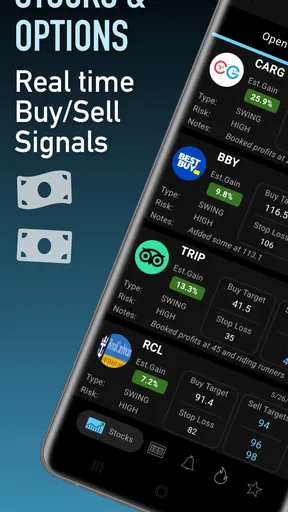
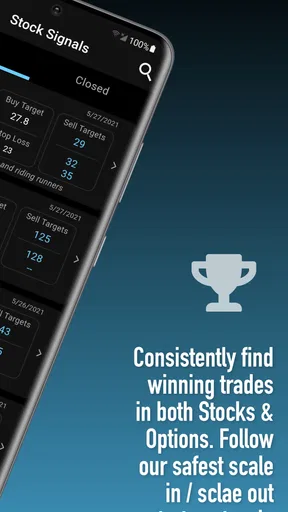
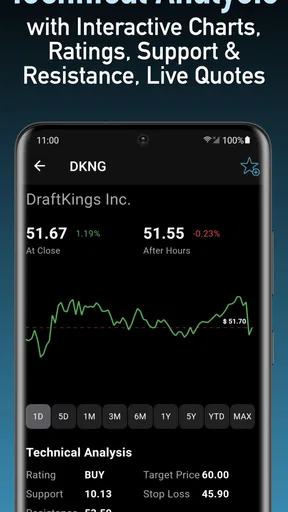
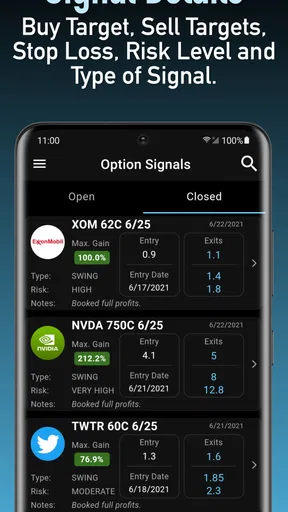
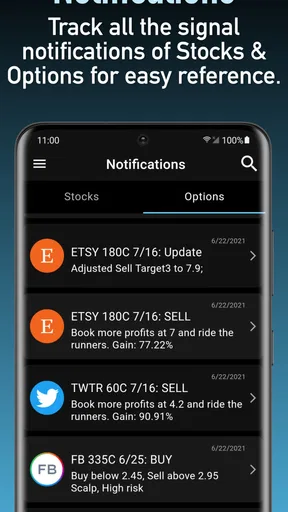
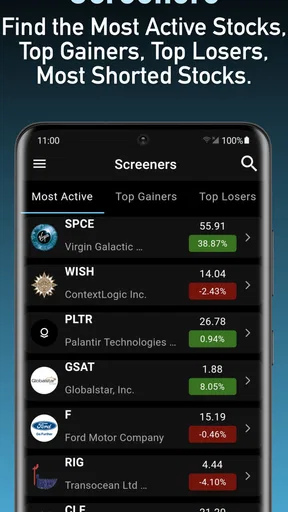
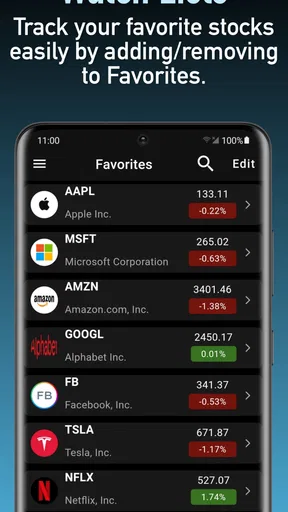
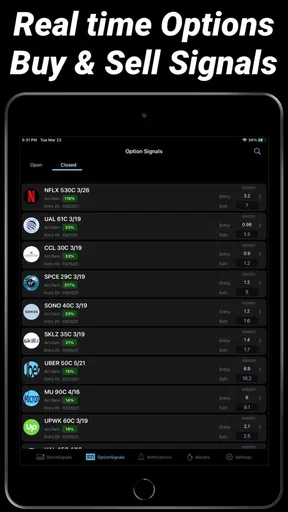
Our Review of Trade Signals - Stocks Options
 Analysis by Appyee
If you're anything like me, keeping up with the ever-fluctuating stock market can sometimes feel like trying to catch a wave with your bare hands. That's where Trade Signals - Stocks Options comes in. It's like having a seasoned trader whispering insider tips right into your ear, guiding you through the ups and downs of trading.
What the free starting point means
This is a finance app from Gamma Greeks: AI Stock Option Signals, Flow Alerts, and it is free to install. That makes it easy to try as a market-research companion without paying upfront. There are also in-app purchases priced from around thirty dollars to around three hundred dollars per item, so I would not treat “free” as a promise that every part of the experience costs nothing. I’d start by checking what is available at no charge and what a paid option actually unlocks before committing.
That distinction matters because a signal app is only valuable if it fits the way you make decisions. Paying for access does not make a trade safer, and an alert should never be treated as a guarantee or a substitute for your own research. I would judge any paid tier against a specific need—such as a workflow I use regularly—rather than buying simply because the app presents market activity as urgent.
How I would use signals without handing over the decision
I see the most sensible role for a tool like this as a way to notice ideas, not as an instruction to buy or sell. A signal can put a stock or options setup on my radar, but I still want to check the broader market, the reason I’m interested, and the amount I could afford to lose. That extra pause is especially important with options, where a quick-moving position can behave very differently from owning shares.
A practical workflow is to decide in advance what kinds of opportunities are relevant to you, then use alerts as prompts to investigate those opportunities. If an alert arrives while I’m busy, I would rather save the idea for later than react under pressure. Before placing a trade, I’d review the underlying asset and my exit plan instead of assuming that a notification has already done that work for me.
There is also a useful distinction between finding a possible entry and managing a position. An alert may help with the first, but it cannot decide whether the trade still fits your plan after conditions change. I would record why I acted on an idea and later compare the result with that original reasoning. That simple habit can help separate a useful research prompt from a signal that only felt compelling in the moment.
Navigating the App Like a Pro
From the moment you open Trade Signals - Stocks Options, you'll notice its user-friendly interface. The home screen is clean, with all the essential features just a tap away. You won't need to fumble around looking for what you need; everything is laid out intuitively. This is a massive plus for both seasoned traders and newbies alike.
Features That Make a Difference
One of the standout features of this app is its real-time signals. These alerts are based on complex algorithms and market analysis that help you make informed decisions. It's like having a team of analysts working for you 24/7. Whether you’re interested in stocks, options, or both, the app covers it all, offering insights that can give you that much-needed edge.
The app also provides detailed charts and graphs, which are crucial for visual learners like myself. Being able to see the trends visually helps in understanding the market's pulse, and the app’s charts do not disappoint. They're detailed and easy to read, which is vital for making split-second decisions.
Making alerts useful rather than distracting
Personalized alerts are most useful when they reduce noise, not when they encourage constant checking. I’d begin with a narrow set of interests and adjust only after seeing which notifications lead to worthwhile research. If every market move triggers attention, an alert system can become another source of pressure instead of a time-saver. A quick review of notification settings before relying on them can make the experience calmer and more practical.
For example, imagine I have a busy workday and can only check markets during a break. I could treat an alert as a reminder to inspect a possible setup when I have time, rather than an order to trade immediately. If the opportunity has passed by the time I can review it, skipping it is better than chasing a move simply because the app brought it to my attention. That is a small but important discipline for anyone using fast-moving signals.
Learning as You Go
For those just dipping their toes into the trading pool, the app offers a learning section filled with articles and tutorials. It's like having a mini trading course in your pocket. Whether you're trying to understand options or the intricacies of stock trading, the educational resources are there to guide you.
I would use those materials to clarify terminology and build a foundation, then verify important decisions with sources that explain the risks in depth. A short lesson can be a convenient starting point, but it should not be mistaken for a complete investing education. Beginners in particular should understand the difference between a stock position and an options contract before acting on an alert, and should be comfortable walking away when the trade is unclear.
Where it fits among finance apps
Compared with a standard brokerage app, this one is oriented toward surfacing trade ideas and market signals rather than serving as the place where I would expect to handle every part of an investment account. A broker is the more natural choice when I need to place and manage orders; a charting or market-news app may be better when my main goal is to examine price history or follow a broad range of coverage. I’d use this app as a possible research layer, not assume it replaces those tools.
That combination can be useful for an active trader who already has a broker and wants another way to spot setups. It is less compelling for someone who simply wants a long-term portfolio tracker, routine retirement investing, or a quiet overview of savings. Those needs are usually better served by tools focused on holdings, budgeting, or basic portfolio management rather than rapid trade prompts.
Who is likely to get value
The app is aimed most naturally at people who follow stocks or options closely and are willing to evaluate ideas for themselves. Its free entry point gives curious users a way to explore the experience, while the paid purchases make it worth being deliberate about the value of any upgrade. The app has a 4.6 average from around 1,200 ratings, and more than 50,000 installs; those figures show that it has attracted an audience, but they do not establish that its signals will suit your strategy.
It is also available to an Everyone age rating, but that broad content label should not be confused with a recommendation that trading is suitable for every age or financial situation. I would skip it if I were new to investing and looking for guaranteed returns, if I could not tolerate losses, or if I tend to trade impulsively when a notification appears. A slower educational resource or a basic investing app would be a better first step in those cases.
For someone already familiar with market risk, the most useful test is whether the app helps create a repeatable research routine. I would keep a short record of which alerts I investigated, why I considered them, and whether the idea matched my own criteria. This makes it easier to assess usefulness over time without confusing a lucky outcome with a dependable process. It also gives a clearer basis for deciding whether paid access is worth considering.
Why This App Stands Out
In a world where there are countless trading apps, finding one that balances functionality with user-friendliness is rare. Trade Signals - Stocks Options does just that. The developers have put a lot of thought into making sure that the app is not just a tool, but a comprehensive trading companion.
The current version is 1.6.2, and the app was released on June 27, 2021. I would still judge it by how well it supports my own routine today: does the interface make it easy to inspect ideas, do the charts help me understand context, and can I keep notifications focused? Those are more meaningful questions for daily use than a version label on its own.
The app's community feature is another highlight. Engaging with other traders, sharing insights, and learning from each other adds a social dimension that enriches the trading experience. It's like being part of a club where everyone is focused on one goal — making smart trading decisions.
I would approach that community as a place to compare perspectives, not as proof that a trade is sound. Other users can have different time horizons, risk limits, or positions, and confident discussion is not the same as independent analysis. When someone shares an idea, I’d ask what would make it invalid and check the reasoning for myself. That keeps the social side useful without letting group enthusiasm take over my decisions.
The Bottom Line
So, should you download Trade Signals - Stocks Options? If you're serious about trading and want an app that offers more than just the basics, then absolutely. Its real-time signals, personalized alerts, and educational resources make it a must-have for anyone looking to up their trading game.
Remember, trading is as much about strategy as it is about tools, and with this app, you’ve got one of the best tools out there. Whether you're on Android or iOS, it's available for you to download and start your trading journey with confidence.
My recommendation is more measured than that final enthusiasm suggests: I’d try the free access if I actively research stock or options trades, then decide whether the app earns a regular place in my routine. I would not pay for an upgrade until I understood what it adds and could connect that benefit to a real need. The app’s value depends less on how many alerts it can show and more on whether its ideas help me make calmer, better-checked decisions.
In short, this is a potentially handy companion for alert-driven market research, especially for traders who already know how to assess risk and want another source of ideas. It is not a shortcut to profitable trades, a replacement for a broker, or the best fit for a person who wants passive investing without frequent decisions. If you can keep those boundaries clear, it is reasonable to explore; if you want certainty or hands-off wealth building, I’d choose a different kind of finance app.
Verdict
Strengths of Trade Signals - Stocks Options
- User-friendly interface for easy navigation.
- Real-time alerts for market changes.
- Comprehensive analysis tools included.
- Customizable notification settings.
- Wide range of stock options covered.
Limitations of Trade Signals - Stocks Options
- Some features require in-app purchases.
- Occasional delay in signal updates.
- Limited support for international stocks.
- App may consume significant battery.
- Interface can be overwhelming for beginners.
Other Releases by Gamma Greeks: AI Stock Option Signals, Flow Alerts
View All
Option Signals -Picker Alerter
Finance4.3

Options Alerts - Swing Signals
Finance4.3
Similar Picks in This Category
View All
Google Wallet
Google LLC4.3

Airtel: Recharge, Bank & Loans
Airtel4.0

PayPal - Pay, Send, Save
PayPal Mobile4.2

DANA Indonesia Digital Wallet
PT Espay Debit Indonesia Koe4.5

Binance: Buy Bitcoin & Crypto
Binance Inc.4.8

Cash App
Block, Inc.4.7
Frequently Asked Questions
What is Trade Signals - Stocks Options and how does it work?
Trade Signals - Stocks Options is a mobile application designed to provide users with real-time trading signals for stocks and options. It analyzes market trends using advanced algorithms and delivers actionable insights directly to your device. The app aims to help traders make informed decisions by offering timely alerts and detailed analysis.
Is Trade Signals - Stocks Options suitable for beginners?
Yes, Trade Signals - Stocks Options is designed to be user-friendly and accessible for both beginners and experienced traders. The app includes educational resources and a straightforward interface, making it easy to understand market signals and execute trades. Beginners can learn at their own pace while gaining insights into trading strategies.
What features does Trade Signals - Stocks Options offer?
The app offers a variety of features, including real-time alerts, detailed market analyses, and customizable watchlists. Users can also access historical data and trends, enabling them to make well-informed trading decisions. Additionally, the app provides push notifications to ensure traders never miss crucial market movements.
Are there any subscription fees for using Trade Signals - Stocks Options?
Trade Signals - Stocks Options typically offers a free version with basic features, but more advanced options may require a subscription. Subscription plans vary in price and offer additional features like enhanced analytics, ad-free experience, and priority customer support. Users can choose a plan that best fits their trading needs.
How reliable are the trading signals provided by the app?
The trading signals in Trade Signals - Stocks Options are generated using sophisticated algorithms that analyze market data and trends. While these signals aim to be accurate, it is essential to remember that no trading strategy guarantees success. Users should use these signals as part of a broader trading strategy and conduct their own research before making trades.
